

IOS & ANDROID App
CAME COMPANY always at hand
Add CAME COMPANY to your smartphone's Home screen and open the site like a real app, without going through the store

The system recognizes the device and shows you the correct instructions for iPhone, iPad or Android
Install the app in a few steps
You don't need to download anything from the store. Just save CAME COMPANY to your Home screen and you can open it with a dedicated icon, like a regular application
Choose your device
You can follow the automatic guide or directly open the complete tutorial for your smartphone

iOS Apple Tutorial
Open Safari on your iPhone or iPad
Go to the website home page www.camecompany.com
Tap the Share icon at the bottom of the screen see image
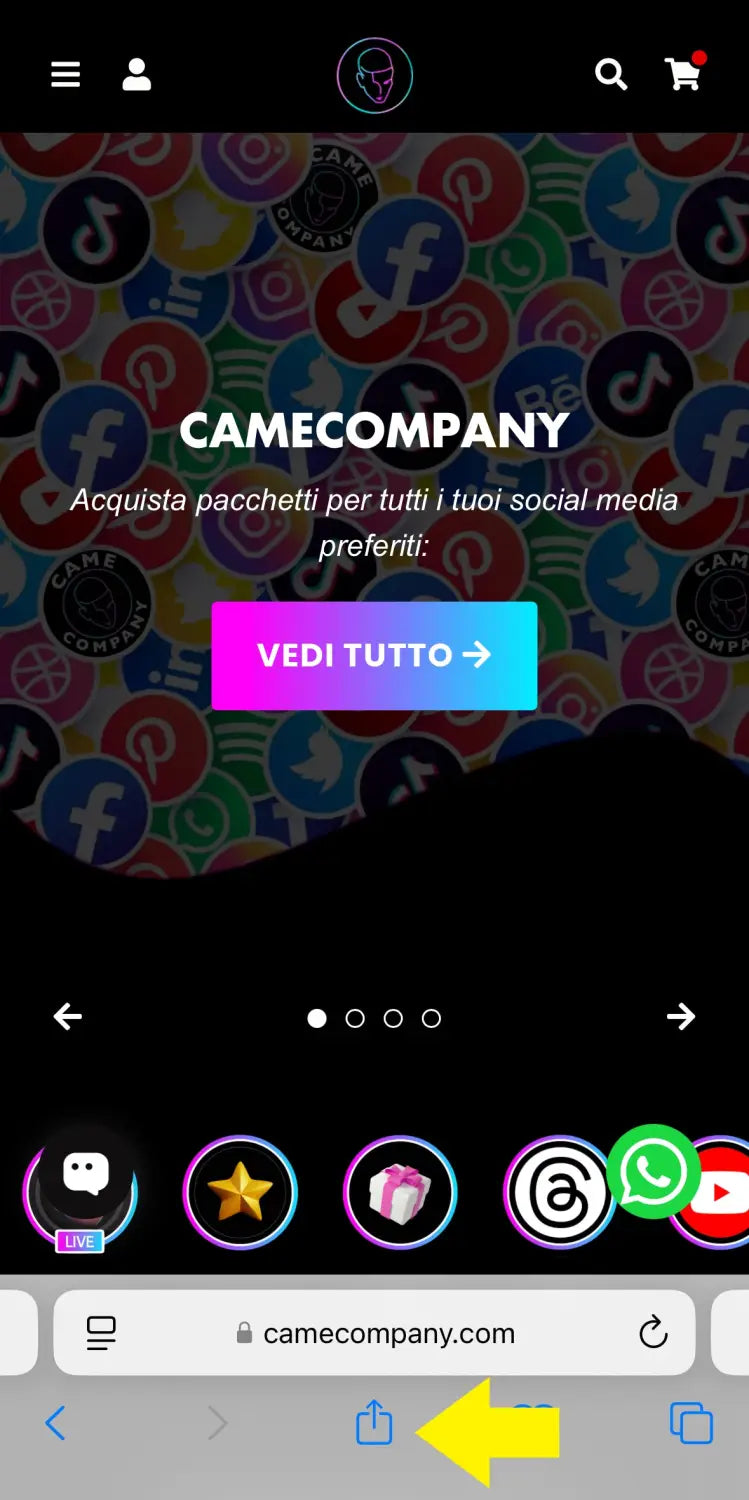
Scroll down and tap Add to Home Screen

Keep the standard name or enter your preferred name

Tap Add in the top right. The icon will appear on your Home screen

Android Tutorial
Open Chrome on your Android smartphone
Go to the website home page www.camecompany.com
Open the Chrome menu by tapping the three vertical dots in the top right see image

Tap Add to Home screen or Install app

Check the icon preview and tap Add or Install

Tap Add automatically to place the icon on the Home screen
Why add it to your Home screen?
It's a simple shortcut, but it makes access quicker and tidier from your smartphone
Faster opening
Open CAME COMPANY directly from the icon, without searching for the site every time
Cleaner experience
The page opens in a tidier and more comfortable way on your smartphone
No store needed
You don't need to go through the App Store or Play Store. Just your browser
Always up to date
By opening the site from your Home screen, you always use the updated version of CAME COMPANY
Need help?
If you can't find the correct option on your device, you can contact us and we will help you complete the installation


